Regular Field Extraction
Regular Field Extraction is designed for repeated field capture across multiple PDFs. It can read header labels from the current Excel selection or let you add them manually. You can also choose whether values appear to the right of or below a label in the documents. Then, you can run extraction across the file set.
Regular Extraction Ribbon Command
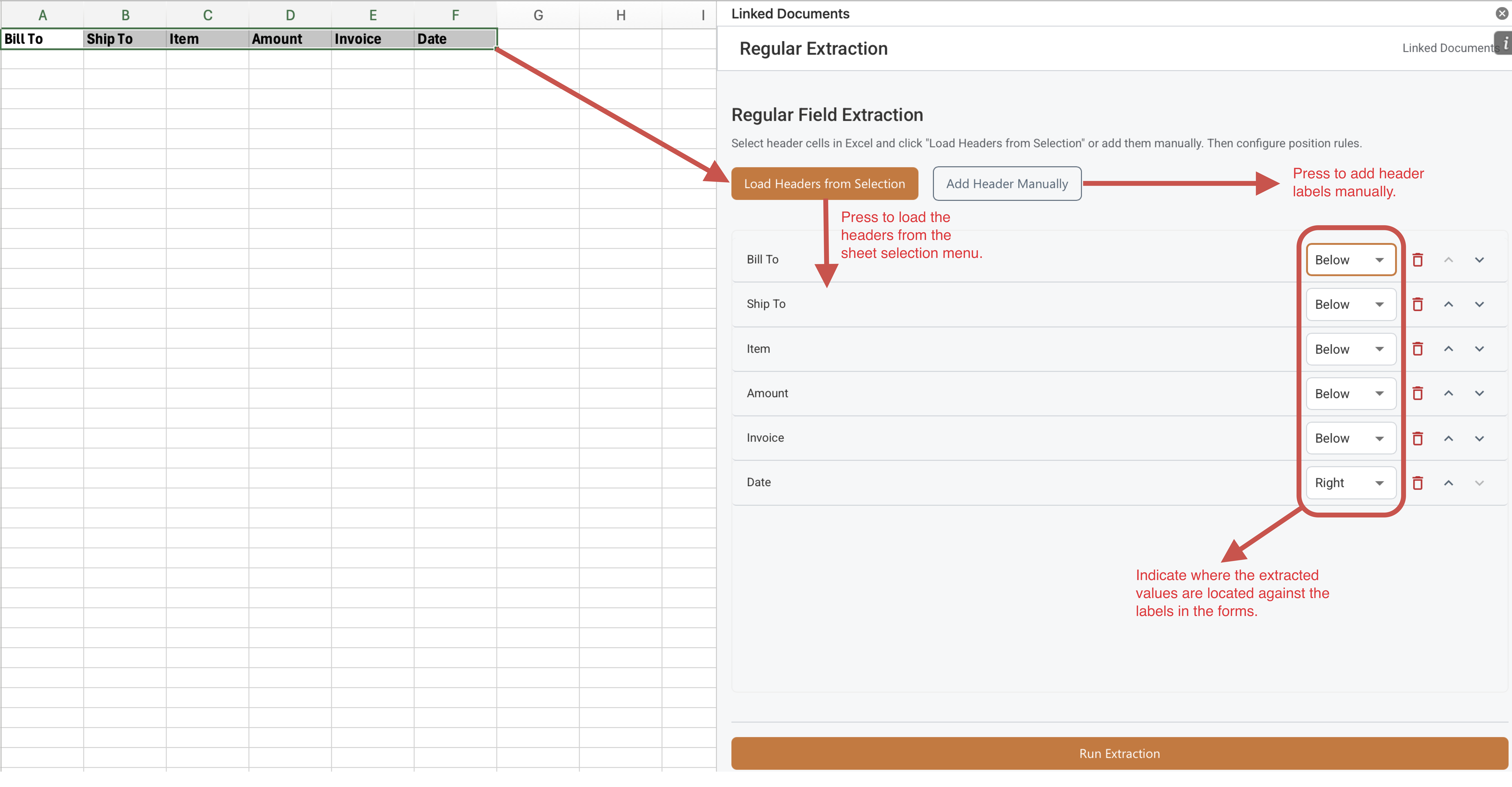
Set up Headers for Extraction from Documents
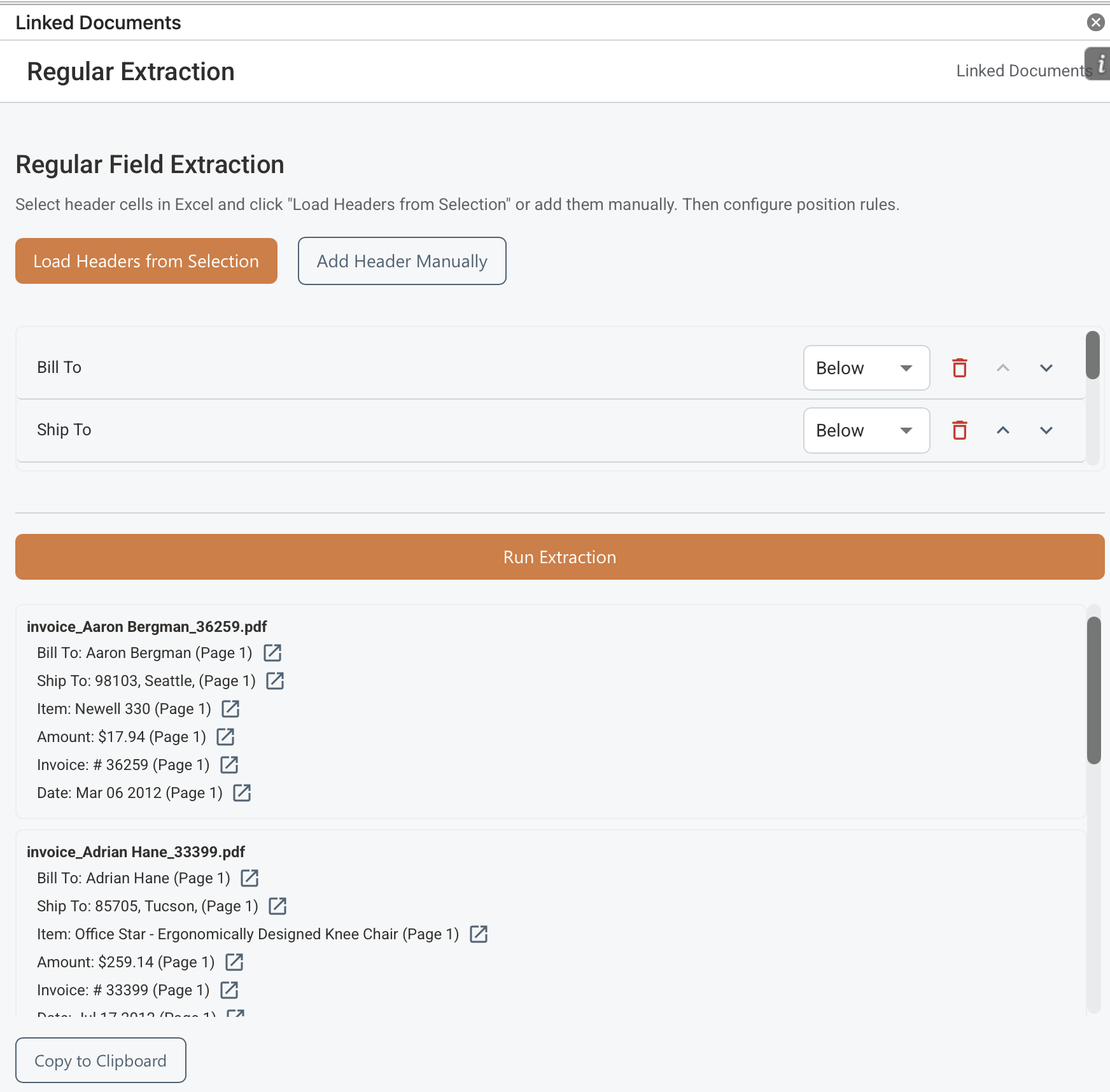
Field Extraction Results
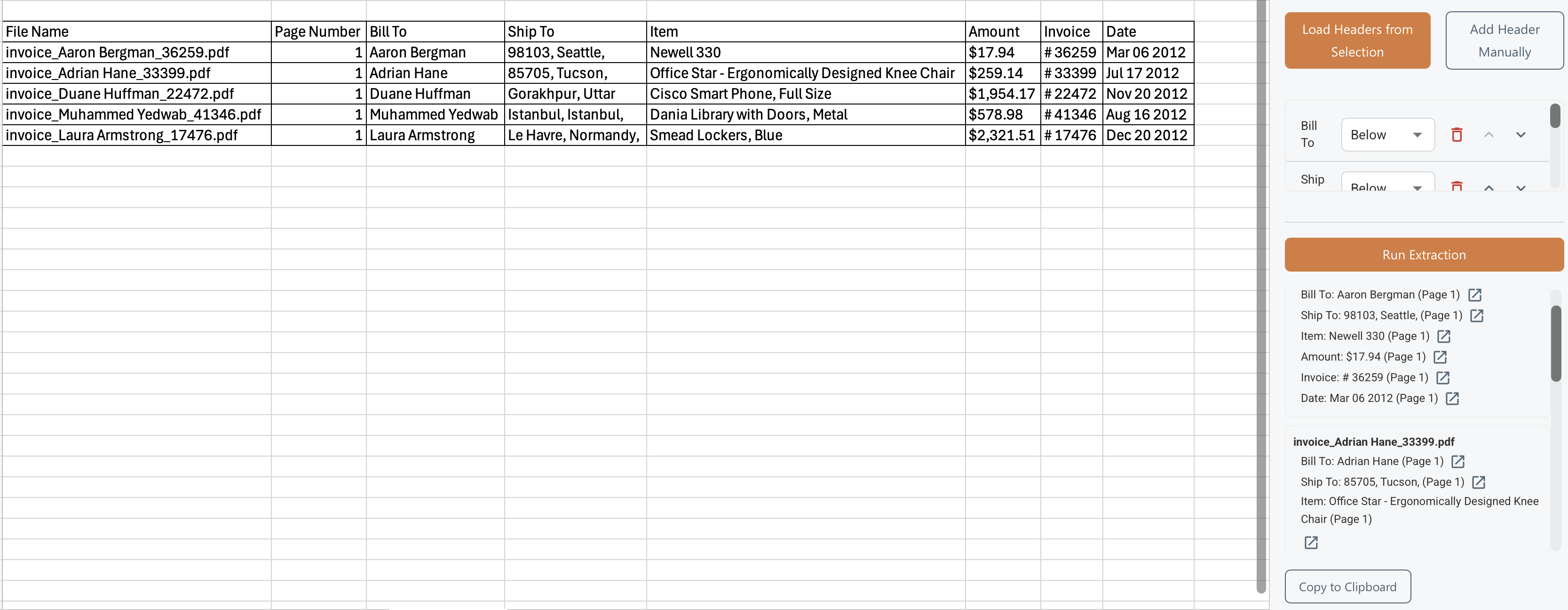
Copy Results via Clipboard to Excel Spreadsheet
How It Works
- Select header cells in Excel and choose Load Headers from Selection, or add headers manually.
- Set each rule's position so the extractor knows whether the value appears to the right of or below the label.
- Run extraction and review the per-file matches, then click the "Copy to Clipboard" button to copy the results values to the spreadsheet if needed.
- Click on the link buttons next to each extracted value to navigate to their place of the document.
- Move the header labels up and down to change the order in which the extracted values appear and are copied to a table.
What To Keep In Mind
- Rules can be reordered and removed before you run extraction.
- The results view can assemble a table for clipboard export so you can paste into Excel or another review sheet.