Pattern Search
The Pattern Search tool collects text from the currently selected Excel cells and tries to find all text entries in the linked documents that follow the same pattern. It scans every imported PDF and lists the documents that contain matching text.
This is useful when you want to find text with the same structure as the selected values rather than just the same characters. For example, if you select an invoice or tag consisting of a letter and several digits, such as 'A12345', the Pattern Search will find any text entries that follow the same syntax, such as 'B98765' or 'Z24680'.
Pattern Search Ribbon Command

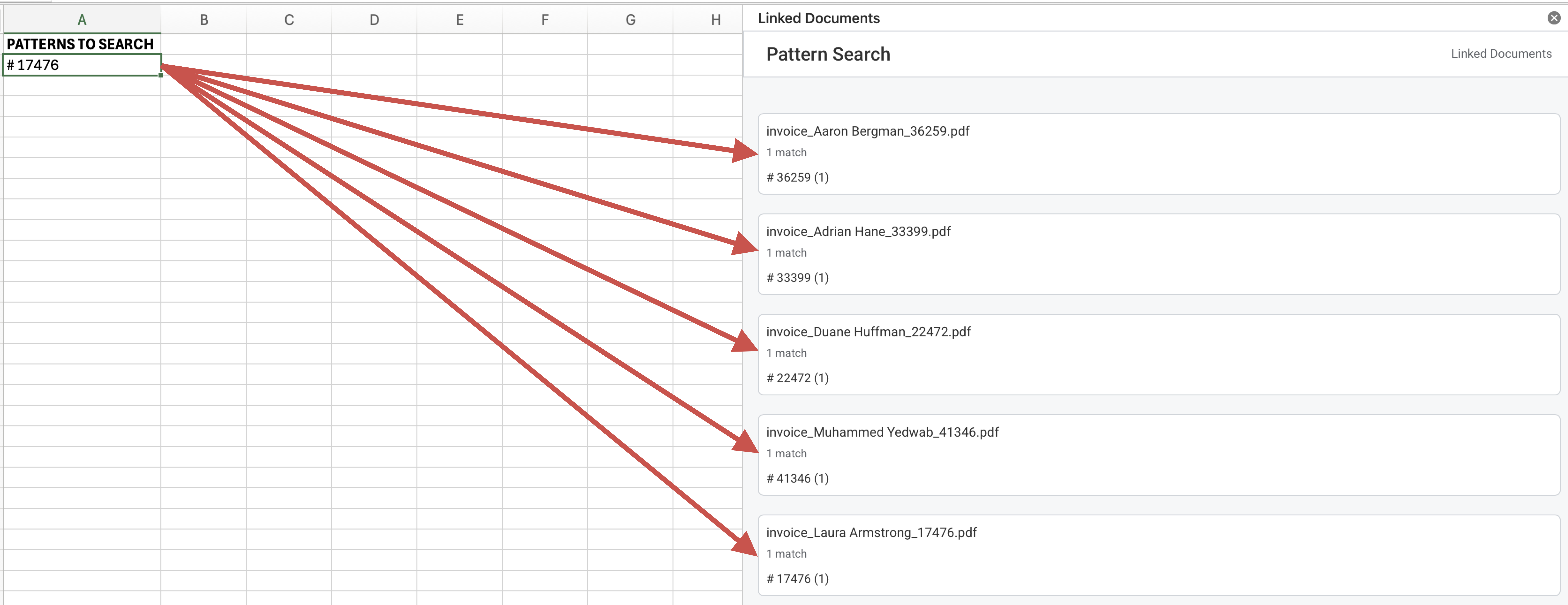
Pattern Search Results
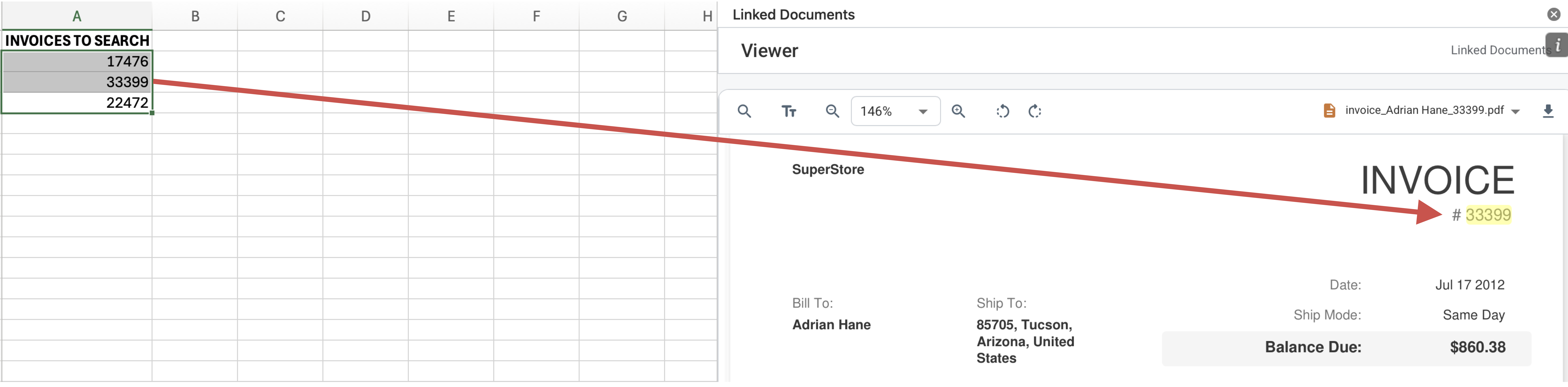
Matching Text Highlighted in Viewer
How It Works
- In Excel, select one or more cells that contain text entries similar to the ones you need to search for in the documents.
- Run Pattern Search from the Linked Documents ribbon commands.
- The add-in converts each selected value into a reusable regex pattern and scans every imported PDF for matches.
- Review the result list, then open a matching file to continue review inside the viewer.
What To Keep In Mind
- Pattern Search is designed for similar-looking values, not just exact matches.
- Letters are generalized by case, digits are generalized as numeric matches, and special regex characters are escaped before searching.
- Word boundaries are applied so matches stay aligned to whole alphanumeric tokens where possible.
- The results list shows the actual text found in each PDF, which may vary from the original selected value while still matching the same pattern.