Text Search
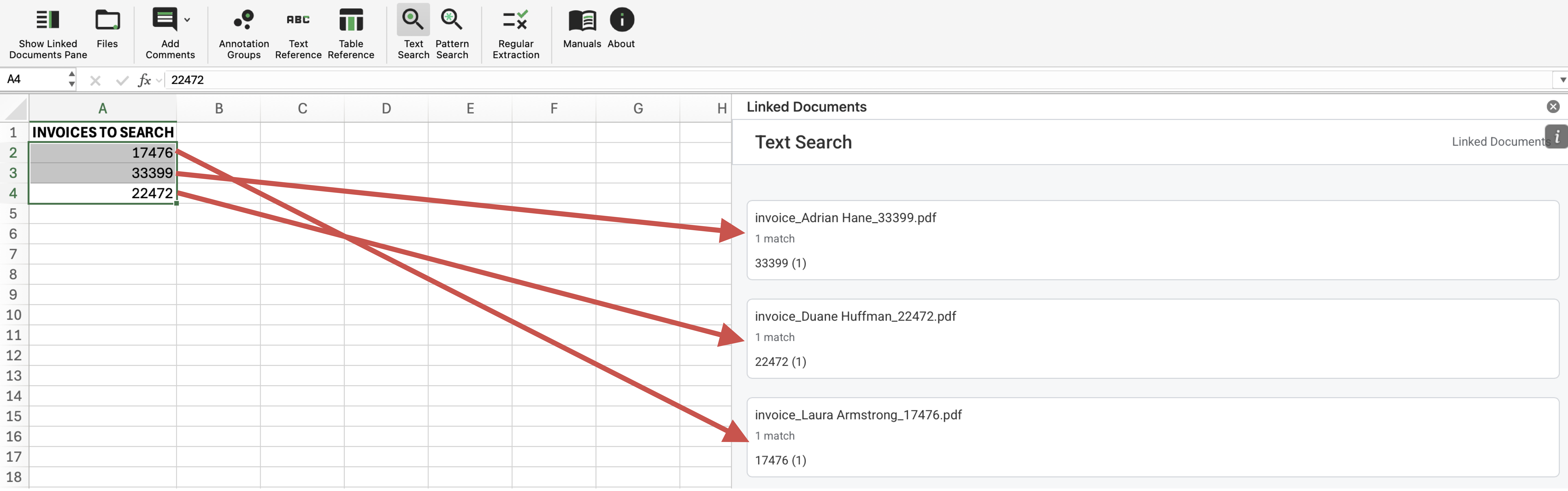
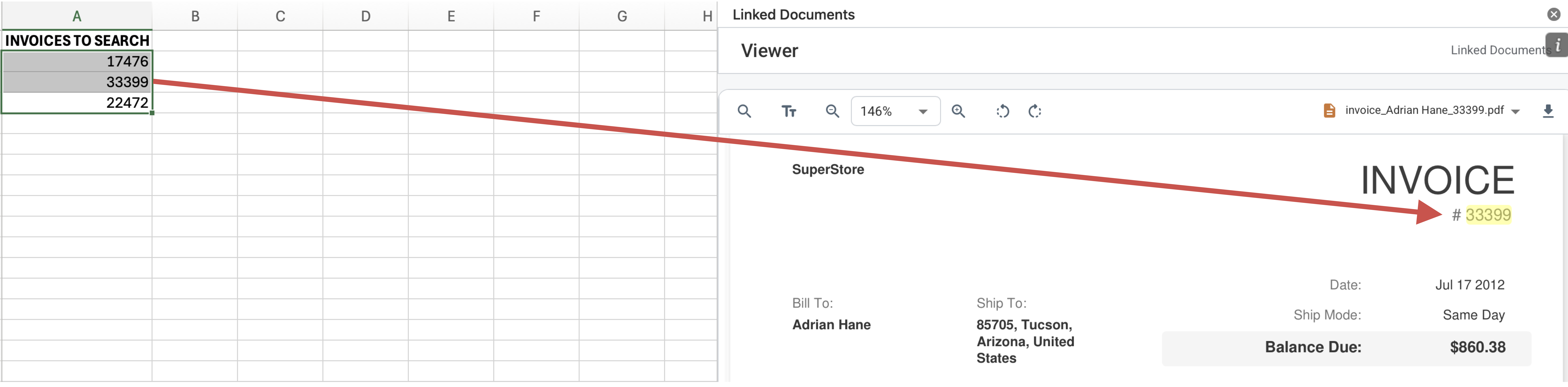
The Text Search function collects the current Excel selection (from one or multiple selected cells), converts the selected cell text into search entries and scans every imported PDF to show documents containing matches. Clicking on a result opens the file in the viewer, preserving the active search context.
Text Search Ribbon Command

Text Search Results
Matching Text Highlighted in Viewer
How It Works
- Select one or more populated cells in Excel.
- Run Text Search from the Linked Documents ribbon commands.
- Review the result list, then open a matching file to continue review inside the viewer.
- The matching text will be highlighted in yellow in the viewer.
What To Keep In Mind
- Only non-empty selected cell values are used as search terms.
- The result list shows which document matched and how many hits were found for each term.