Navigate to Reference
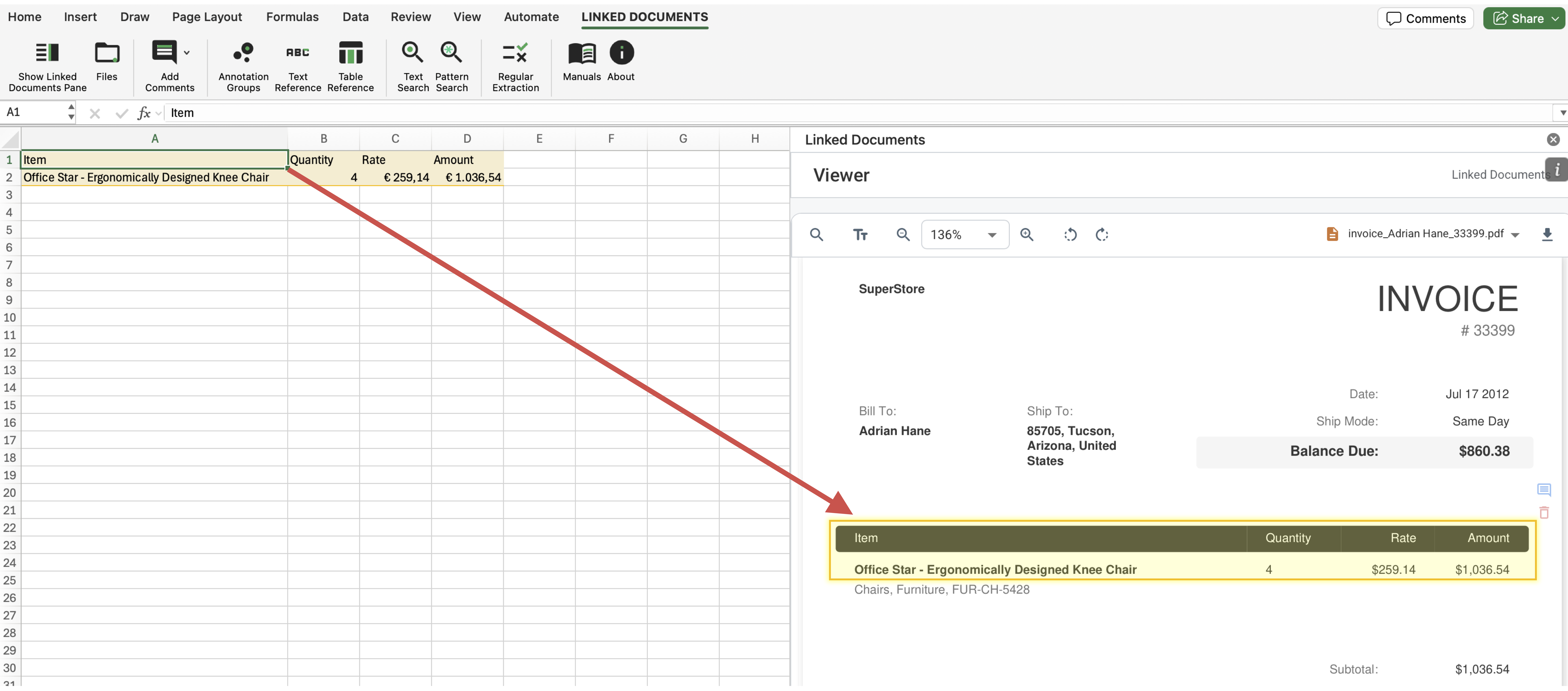
Navigation works both ways. In Excel, selecting a referenced cell can open the linked annotation in the PDF viewer. Similarly, selecting a referenced annotation in the viewer can reselect the worksheet range that points back to it.
Naviage from Excel Cell to Reference in Document
How It Works
- Click a worksheet cell that belongs to a text or table reference.
- Let the add-in detect the selection change and switch the workspace to the viewer.
- Use the highlighted annotation to confirm the exact source region in the PDF.
What To Keep In Mind
- Selecting the annotation from the PDF side can also reselect the matching named range in Excel.