File Commands
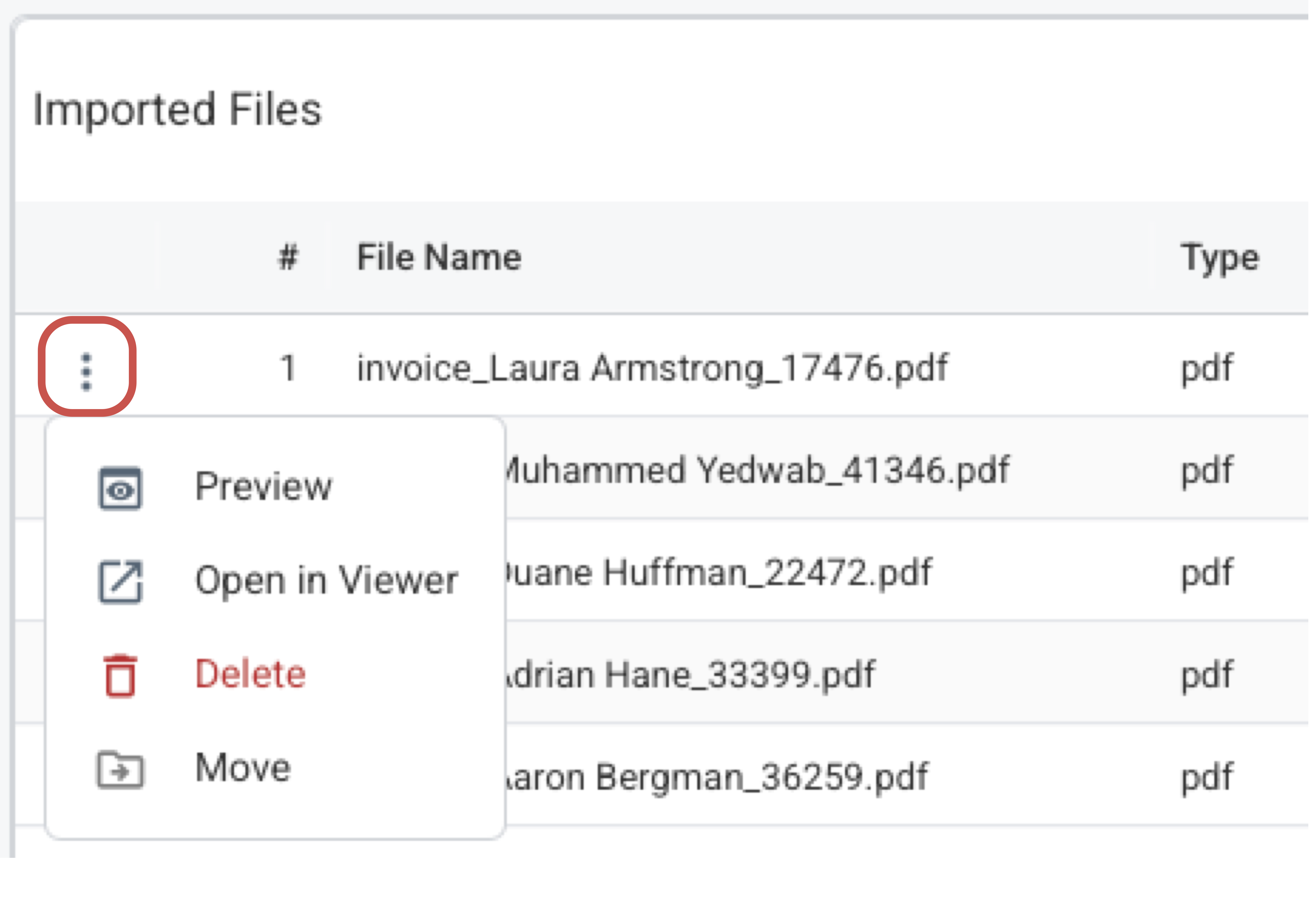
Each file row includes the following actions: opening the file in the PDF viewer (where you can add references, comments and annotations), moving the file to a different folder, and deleting it from the workbook. These commands allow you to manage the document library within the Excel workbook.
File Action Menu
How It Works
- Open the row action menu for a file in the File Manager grid.
- Select 'Open in Viewer' to access the PDF viewer workspace. This command allows you to add references between Excel spreadsheets and places in the PDF, as well as adding comments and annotations.
- Use Move to reorganize files or Delete to permanently remove the file from the workbook.
What To Keep In Mind
- Delete is permanent for that workbook and also clears annotations tied to the deleted file.
- Open in Viewer is the handoff into annotation, reference, and extraction work.